Technical note
JSON Tools: Turning API Payloads into SQL-Queryable Data
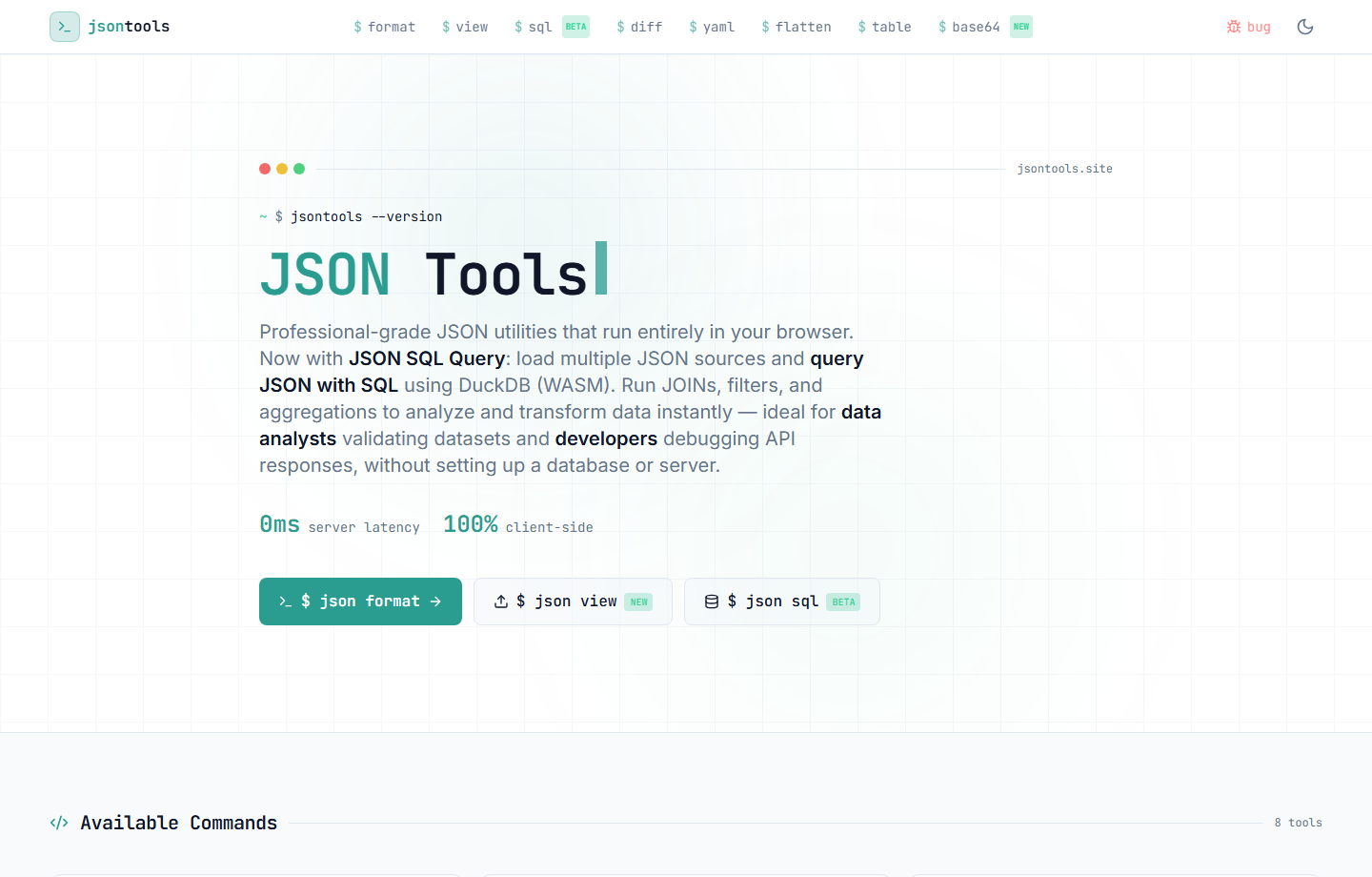
JSON Toolsis a browser-based tool I built for the kind of work that sits between backend engineering and data engineering: reading API payloads, validating integration data, inspecting exports, and turning raw JSON into something easier to reason about.
The first version solved a common problem: format, validate, compare, convert, flatten, and inspect JSON without sending data to a server. The more interesting part came later: adding a DuckDB-powered SQL layer so JSON could be queried directly in the browser.
Why I Built It
In backend and integration work, JSON is everywhere: API responses, webhooks, logs, configuration files, ERP exports, test fixtures, and ad-hoc datasets passed around during troubleshooting. The annoying part is not that JSON exists. The annoying part is how much time gets wasted moving between tools just to answer basic questions.
Sometimes I only need to validate a payload. Sometimes I need to compare two versions of a response. Sometimes I need to flatten a nested object before sending it to another system. And sometimes the question is not about syntax at all. It is about data:
- Which records match this condition?
- Which fields are missing or inconsistent?
- What values repeat the most?
- Can this payload become an input for an ETL or backend routine?
- Can I understand the data before creating a table, script, or pipeline?
That is the gap I wanted the tool to cover: quick JSON handling for developers, plus enough analytical capability for data-heavy workflows.
The Core Workflow
The tool is intentionally direct. It runs in the browser and focuses on operations that show up often when working with APIs, integrations, and data pipelines:
- format and minify JSON;
- validate payload syntax before using it in an integration;
- inspect large files with a viewer instead of freezing the page;
- compare JSON documents side by side;
- convert JSON to YAML or table formats;
- flatten and unflatten nested objects;
- run SQL over JSON datasets using DuckDB WASM.
Why Formatting Is Not Enough
A formatter makes a payload readable. A validator tells you if it is syntactically valid. Both are useful, but they do not answer the questions that usually matter once the payload gets larger or closer to production data.
In real integration work, the useful questions are usually closer to SQL than to pretty-printing. You need filters, grouping, joins, counts, missing-field checks, and fast iteration. That is especially true when the payload came from an ERP, a SaaS API, a webhook, or an export that will eventually feed a database, report, or ETL process.
The DuckDB Part
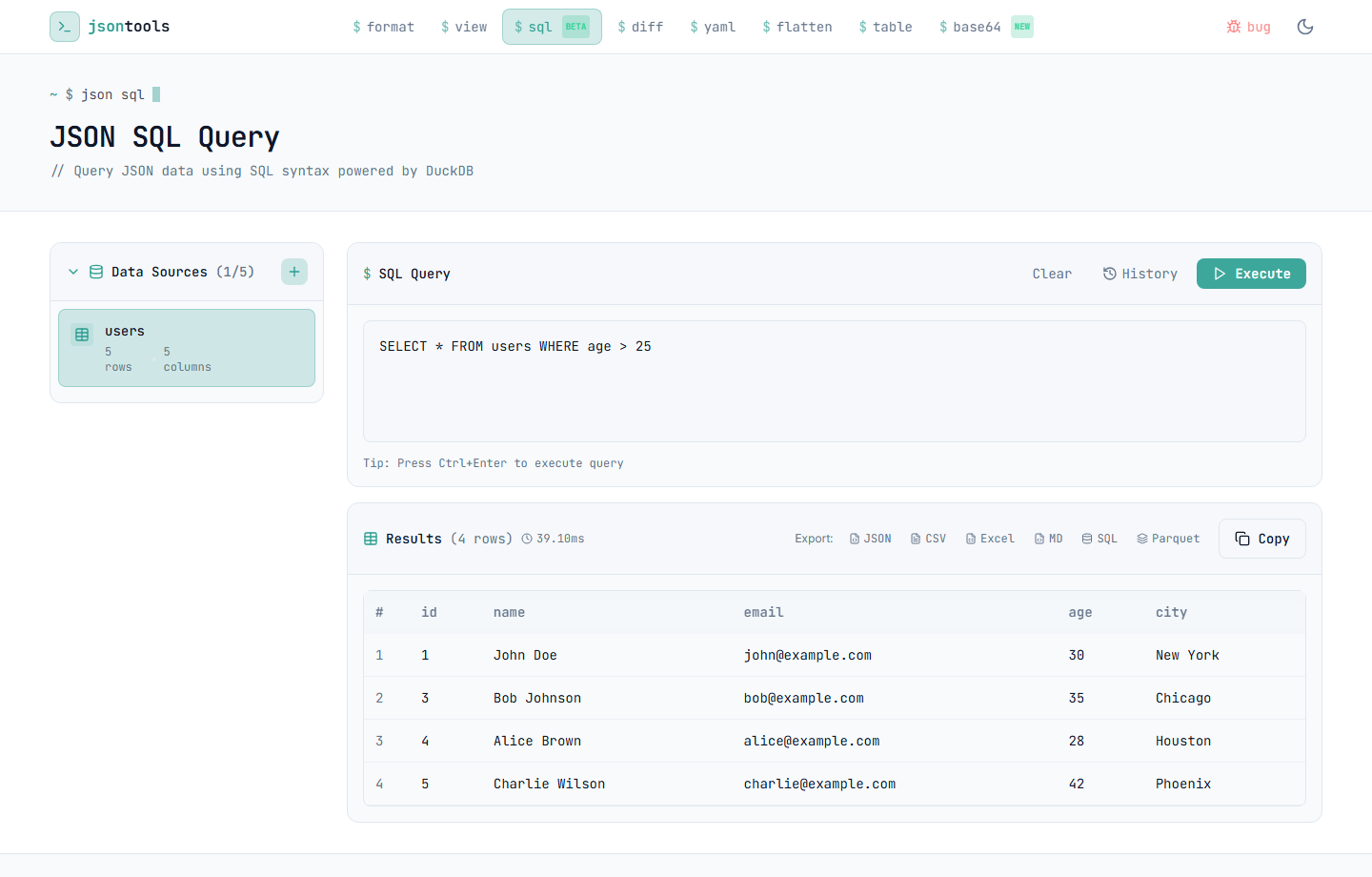
DuckDB is the piece that makes JSON Tools more than a formatter. With DuckDB running through WebAssembly, the browser can load JSON data and execute analytical SQL without a backend database, container, or local setup.
That matters because the workflow stays lightweight. Instead of writing a one-off script or importing data into a database just to inspect it, I can load JSON, write SQL, check the result, and decide what the next engineering step should be.
Where It Fits in My Work
JSON Tools is aligned with the same problems I work on professionally: SQL-heavy workflows, backend integrations, data preparation, automation, and the messy middle between systems. It is not a portfolio toy meant to look complex. It is a practical tool built around recurring friction.
When I am dealing with a third-party API or a dataset exported from a business system, the first step is rarely writing the final pipeline. The first step is understanding the shape of the data. JSON Tools helps with that first step:
- debug API responses before mapping them into a backend service;
- validate payloads before they become part of an automation flow;
- inspect fields and records before modeling a table;
- prototype SQL logic before moving work into a database or ETL job;
- share a simple workflow with developers, analysts, and data people.
Privacy and Architecture
The tool is client-side by design. JSON processing happens in the browser, and the SQL workflow runs locally through DuckDB WASM. For a utility that may be used with internal payloads, API responses, or debugging data, that architecture is not just convenient. It is the point.
I do not want a JSON utility that requires uploading sensitive payloads to a random backend just to format or inspect them. Keeping the work local makes the tool easier to trust and easier to operate.
The Bigger Point
The interesting lesson is simple: the line between backend work and data work is thin. A payload can start as an API response, become an integration input, turn into an analytical dataset, and eventually land in a pipeline or database.
JSON Tools exists for that transition. Not just to make JSON prettier, but to make it inspectable, transformable, and queryable before the heavier engineering work begins.
You can try it here:jsontools.site.